Know exactly how your rental business is doing.
Haven reads your real bookings — direct, Airbnb, Vrbo, and everything your PMS syncs — and answers the questions that matter: how am I doing, where am I leaving money on the table, where do my bookings come from, and what should I do next.
Not market estimates. Not a spreadsheet you have to build. Your own revenue, occupancy, and rates, compared with your own history, with the next action attached.
No credit card required
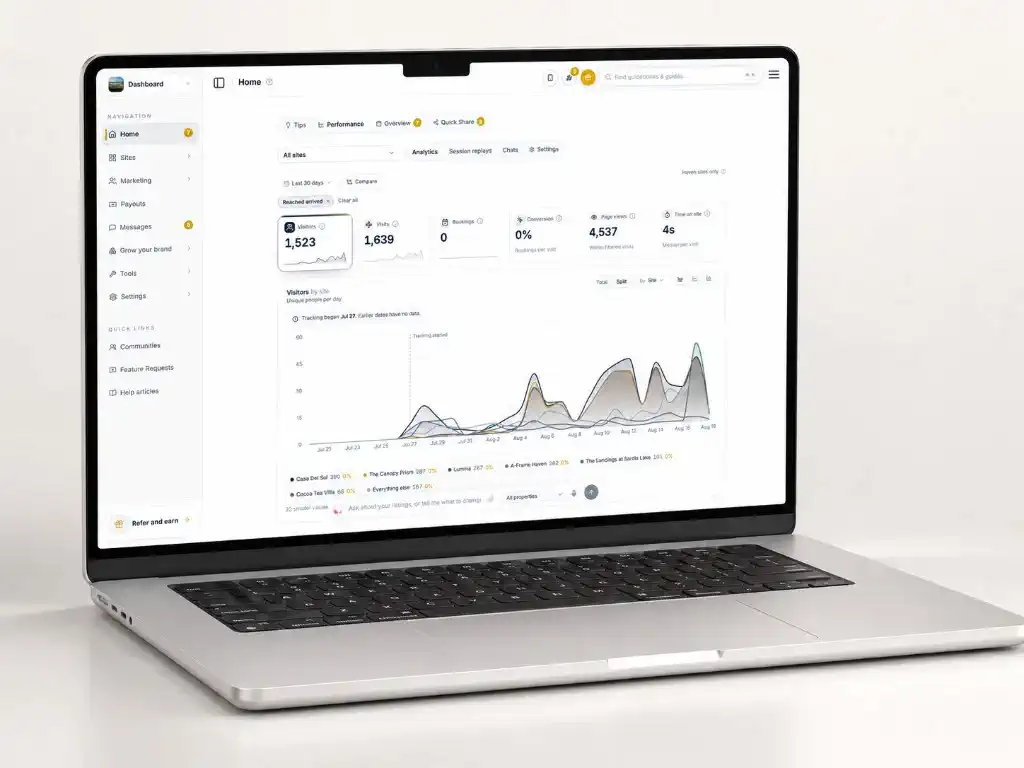
Most rental businesses run on feel. Revenue lives in one platform, channel payouts in another, and the honest answer to “was this June better than last June?” is usually a shrug or an evening lost to spreadsheet exports. Market-data tools don’t close that gap — they describe your market, not your business.
Haven’s Reports page starts from the bookings you actually have. Direct reservations, marketplace stays synced from your PMS, the fees channels reported, the rates you configured — assembled into one report that compares every number with the same period last year, because a seasonal business judged against last month is a business misread.
Then it goes one step further than a dashboard: it tells you what to do. A ranked list of what needs attention, each item with the reason it matters and its estimated value — priced from your own nightly rates, never an industry average.
Reporting that ends at a decision, not a chart
The four numbers that run the business
Revenue, occupancy, average nightly rate, and RevPAR for any range — each against the same period last year, so seasonality never fools you.
A ranked "needs your attention" list
Every insight states the observation, why it matters, the recommended action, and the estimated impact in your currency — computed from your own configured rates.
Gap and orphan-night detection
Open weekends, single stranded nights, and runs your minimum stay makes unbookable — found across the next 90 days and priced at what those nights would earn.
A plain-English pricing verdict
Rate and occupancy movement read together — healthy, priced past demand, or leaving money on the table — plus booking pace for the coming months versus this date last year.
Booking sources and real OTA fees
Revenue by channel with your direct share, and the marketplace fees your channels actually reported — never an assumed percentage.
Accountant-ready CSV exports
Bookings, revenue by month, payments, taxes, guests, and a property comparison — the same numbers as the page, scoped to the same range and filters.
From bookings to decisions
- 1
Your booking data assembles itself
Direct reservations are recorded at checkout; a connected PMS brings in your Airbnb, Vrbo, and Booking.com stays with the financials the channel reported. Nothing to tag or import by hand. - 2
Haven computes the report against your own history
Revenue, occupancy, nightly rate, and RevPAR for the range you pick, compared with the same window last year or the period before — blocked nights excluded, missing data named rather than guessed. - 3
The attention list ranks what to act on
Gaps worth real money, months filling slower than last year, minimum-stay rules blocking bookable nights, a rising direct share — each with its reasoning and estimated value. - 4
You act where it counts
Every insight links to the detail behind it: adjust rates, fix a minimum stay, open a weekend, or point a campaign at the soft month while there is still time to fill it. - 5
Export it, or just ask
Download any of six CSVs for your accountant, or ask the built-in assistant — "how is my year going?", "which weekends are open?" — and get answers computed from the same data.
Frequently Asked Questions
Explore More
Next step
Run your rentals on numbers, not guesses.
Build your booking site free. The moment reservations land — direct or through your PMS — the Reports page starts answering the questions you have been eyeballing.